How is a Time Series seasonally adjusted?
Removing seasonality from time series is always complicated and laborious. The standard deseasonalization method is X-13ARIMA-SEATS or some other version of the methodologies maintained by the United States Census Bureau. Denationalizing usually includes using some application such as Eviews, Demetra or Stata or Python, combining it with the files that are downloaded from Census. Anyone who has also tried to seasonally adjust in Excel knows that it is cumbersome.
Just for reference, about the reasons why it is important to deseasonalize the series for the analysis of the situation [I wrote this article a while ago](http://econserialcronico.blogspot.com/2017/03/arte-ciencia-y-tortura -medieval.html).
Deseasonalize with Pipelines in Alphacast is very easy and includes only 4 steps:
- Fetch dataset
- Filter the columns we want to use (this is not strictly necessary)
- Step "Apply Transform", choosing the "Seasonal Adjustment" option
- Chart, download, or publish the dataset
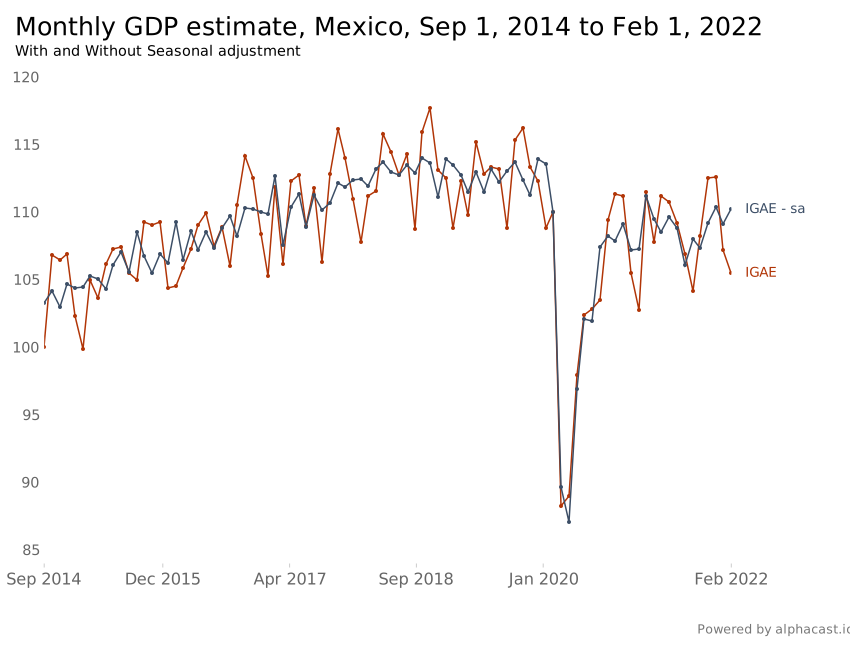
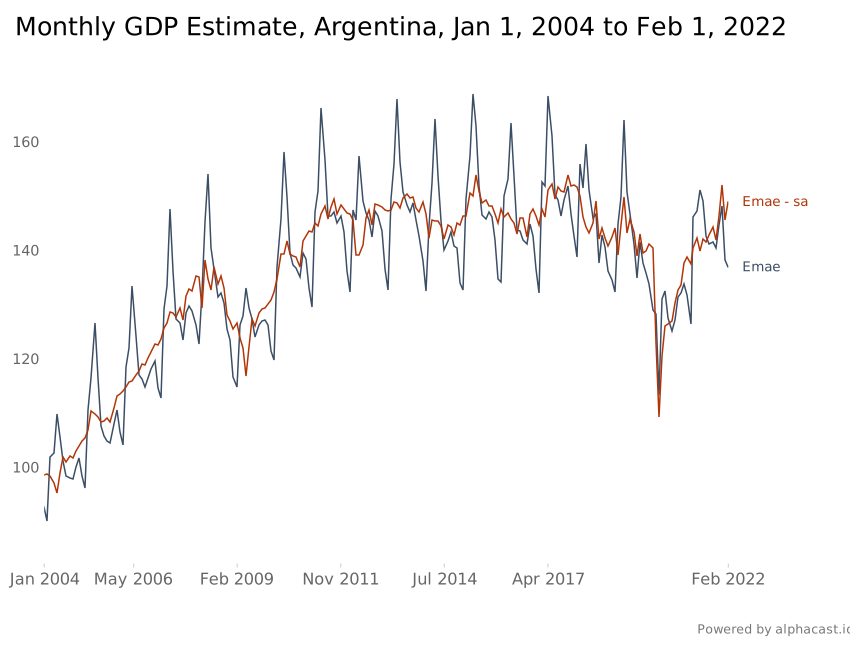
As an example, Let's see how to deseasonalize the Monthly Estimator of Economic Activity of Mexico -> This data and Argentina's EMAE -> This dataset